Force Account Record Template: Labor, Equipment and Costs

Force Account Record Template: Labor, Equipment and Costs

Force Account Record Template: Labor, Equipment and Costs

Force Account Record Template: Labor, Equipment and Costs

Typical length: 4-6 pages

Length: 4-6 pages

AI Assisted

Export: PDF & DOCX

Multi-jurisdiction ready

Multi-jurisdiction

Get your custom agreement in minutes

4.8 Rating

Downloaded 3468 times

Google For Startups

Google For Startups

NVIDIA Inception Program

NVIDIA Inception Program

Force Account Record Template


Company or Agency Name: [Company Name]
Project Name: [Project Name]
Project Number: [Project Number, if applicable]
Record Date: [Date]
Reference Number: [Reference Number, if applicable]


1. Work Information

Work Location: [Location]
Work Order / Change Order Number: [Number, if applicable]
Supervisor or Foreman: [Full Name]
Prepared By: [Full Name]

Description of force account work performed:

[Describe the work performed]


2. Labor Record

Employee 1 Name: [Full Name]
Classification: [Laborer / Operator / Technician / Other]
Hours Worked: [Number]
Rate: [$Amount]
Labor Cost: [$Amount]

Employee 2 Name: [Full Name]
Classification: [Laborer / Operator / Technician / Other]
Hours Worked: [Number]
Rate: [$Amount]
Labor Cost: [$Amount]

Employee 3 Name: [Full Name]
Classification: [Laborer / Operator / Technician / Other]
Hours Worked: [Number]
Rate: [$Amount]
Labor Cost: [$Amount]

Total Labor Cost: [$Amount]


3. Equipment Record

Equipment 1: [Description]
Equipment ID or Unit Number: [Number]
Hours Used: [Number]
Rate: [$Amount]
Equipment Cost: [$Amount]

Equipment 2: [Description]
Equipment ID or Unit Number: [Number]
Hours Used: [Number]
Rate: [$Amount]
Equipment Cost: [$Amount]

Equipment 3: [Description]
Equipment ID or Unit Number: [Number]
Hours Used: [Number]
Rate: [$Amount]
Equipment Cost: [$Amount]

Total Equipment Cost: [$Amount]


4. Material Record

Material 1: [Description]
Quantity: [Number]
Unit Cost: [$Amount]
Total Cost: [$Amount]

Material 2: [Description]
Quantity: [Number]
Unit Cost: [$Amount]
Total Cost: [$Amount]

Material 3: [Description]
Quantity: [Number]
Unit Cost: [$Amount]
Total Cost: [$Amount]

Total Material Cost: [$Amount]


5. Other Charges

Additional charges, if any:

[Fuel]
[Subcontracted service]
[Delivery]
[Disposal]
[Other]

Amount: [$Amount]

Total Other Charges: [$Amount]


6. Daily or Work Notes

Weather Conditions: [Conditions, if applicable]
Site Conditions: [Conditions, if applicable]

Additional notes regarding delays, access issues, approvals, or work progress:

[Insert notes]


7. Cost Summary

Total Labor Cost: [$Amount]
Total Equipment Cost: [$Amount]
Total Material Cost: [$Amount]
Total Other Charges: [$Amount]

Total Force Account Cost: [$Amount]


8. Attachments

Attached or available supporting documents:

โ˜ timesheets
โ˜ equipment logs
โ˜ receipts or invoices
โ˜ delivery tickets
โ˜ photos
โ˜ daily field notes
โ˜ other: [Describe]


9. Signatures

Prepared By Signature: __________________________
Name: [Full Name]
Title: [Job Title]
Date: [Date]

Supervisor Signature: __________________________
Name: [Full Name]
Title: [Job Title]
Date: [Date]

Owner / Manager / Authorized Reviewer Signature: __________________________
Name: [Full Name]
Title: [Job Title]
Date: [Date]


Force Account Record Template


Company or Agency Name: [Company Name]
Project Name: [Project Name]
Project Number: [Project Number, if applicable]
Record Date: [Date]
Reference Number: [Reference Number, if applicable]


1. Work Information

Work Location: [Location]
Work Order / Change Order Number: [Number, if applicable]
Supervisor or Foreman: [Full Name]
Prepared By: [Full Name]

Description of force account work performed:

[Describe the work performed]


2. Labor Record

Employee 1 Name: [Full Name]
Classification: [Laborer / Operator / Technician / Other]
Hours Worked: [Number]
Rate: [$Amount]
Labor Cost: [$Amount]

Employee 2 Name: [Full Name]
Classification: [Laborer / Operator / Technician / Other]
Hours Worked: [Number]
Rate: [$Amount]
Labor Cost: [$Amount]

Employee 3 Name: [Full Name]
Classification: [Laborer / Operator / Technician / Other]
Hours Worked: [Number]
Rate: [$Amount]
Labor Cost: [$Amount]

Total Labor Cost: [$Amount]


3. Equipment Record

Equipment 1: [Description]
Equipment ID or Unit Number: [Number]
Hours Used: [Number]
Rate: [$Amount]
Equipment Cost: [$Amount]

Equipment 2: [Description]
Equipment ID or Unit Number: [Number]
Hours Used: [Number]
Rate: [$Amount]
Equipment Cost: [$Amount]

Equipment 3: [Description]
Equipment ID or Unit Number: [Number]
Hours Used: [Number]
Rate: [$Amount]
Equipment Cost: [$Amount]

Total Equipment Cost: [$Amount]


4. Material Record

Material 1: [Description]
Quantity: [Number]
Unit Cost: [$Amount]
Total Cost: [$Amount]

Material 2: [Description]
Quantity: [Number]
Unit Cost: [$Amount]
Total Cost: [$Amount]

Material 3: [Description]
Quantity: [Number]
Unit Cost: [$Amount]
Total Cost: [$Amount]

Total Material Cost: [$Amount]


5. Other Charges

Additional charges, if any:

[Fuel]
[Subcontracted service]
[Delivery]
[Disposal]
[Other]

Amount: [$Amount]

Total Other Charges: [$Amount]


6. Daily or Work Notes

Weather Conditions: [Conditions, if applicable]
Site Conditions: [Conditions, if applicable]

Additional notes regarding delays, access issues, approvals, or work progress:

[Insert notes]


7. Cost Summary

Total Labor Cost: [$Amount]
Total Equipment Cost: [$Amount]
Total Material Cost: [$Amount]
Total Other Charges: [$Amount]

Total Force Account Cost: [$Amount]


8. Attachments

Attached or available supporting documents:

โ˜ timesheets
โ˜ equipment logs
โ˜ receipts or invoices
โ˜ delivery tickets
โ˜ photos
โ˜ daily field notes
โ˜ other: [Describe]


9. Signatures

Prepared By Signature: __________________________
Name: [Full Name]
Title: [Job Title]
Date: [Date]

Supervisor Signature: __________________________
Name: [Full Name]
Title: [Job Title]
Date: [Date]

Owner / Manager / Authorized Reviewer Signature: __________________________
Name: [Full Name]
Title: [Job Title]
Date: [Date]
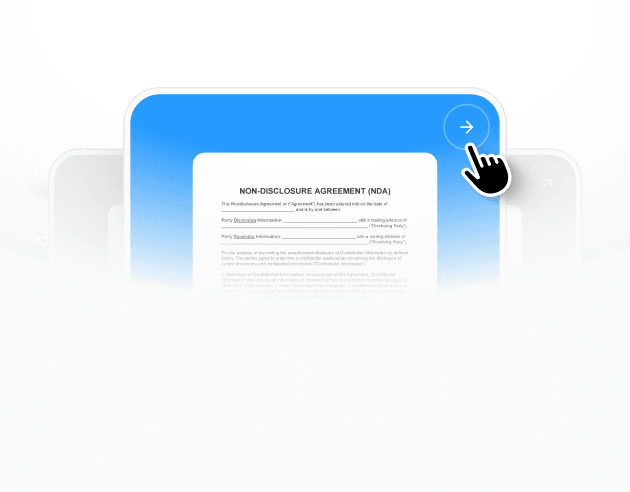
Get your complete
agreement in minutes

Select template illustration
Select a template

Each template already follows legal structure and best practices.

Provide details illustration
Provide details

The agreement is automatically filled and adapted to your inputs.

Review & download illustration
Review & download

Check the generated document, make edits if needed, and download a ready-to-use agreement.

Details

Learn more about

Force Account Record Template: Labor, Equipment and Costs

Click below for detailed info on the template.
For quick answers, scroll below to see the FAQ.

Click below for detailed info on the template.
For quick answers, scroll below to see the FAQ.

FORCE ACCOUNT RECORD TEMPLATE FAQ


What is a force account record?

A force account record is a document used to track labor, materials, equipment, and other costs for work performed on a time-and-materials or force account basis. It helps record the actual resources used for a job, change order, emergency work, repair, or extra work item. The form creates a clear daily or project-based cost record that can be reviewed later for payment, auditing, or internal reporting.


Why do you need a force account record?

You need a force account record to document the actual costs of work that is not being billed under a fixed lump-sum price. It helps show what labor, equipment, and materials were used, how long the work took, and what amounts may be charged or reimbursed. A written record also helps reduce disputes and supports approval, accounting, and project review.


When should you use a force account record?

Use a force account record when extra work, emergency work, change order work, or other non-standard project tasks are being tracked based on actual costs. It is commonly used in construction, maintenance, public works, utilities, and field service jobs where labor hours, material quantities, and equipment usage must be recorded accurately.


How to write a force account record?

Start with the project name, date, location, and description of the work performed. Then record labor classifications, employee names, hours worked, equipment used, materials consumed, and any additional charges or notes. Finish with total costs, supporting comments, and signature lines for the preparer, supervisor, or approving representative so the record is complete and easy to review.


Can AI Lawyer help if project staff, accounting, and managers all need to review?

AI Lawyer can help by organizing the record into clear sections so each team can find the relevant details quickly. It can also add internal reference fields, review notes, and placeholders that make updates easier to track. A consistent structure helps reduce repeated edits and lowers the chance of missing key details like labor hours, equipment time, material quantities, or approval signatures.

Similar templates

Other templates from

Business Document

Money back guarantee

Free trial

Cancel anytime

AI Lawyer protects

your rights and wallet

๐ŸŒ

Company

Learn

Terms

ยฉ2026 AI Lawtech Sp. z O.O. All rights reserved.

Money back guarantee

Free trial

Cancel anytime

AI Lawyer protects

your rights and wallet

๐ŸŒ

Company

Learn

Terms

AI Lawtech Sp. z O.O.

ยฉ2026

Money back guarantee

Free trial

Cancel anytime

AI Lawyer protects

your rights and wallet

๐ŸŒ

Company

Learn

Terms

ยฉ2026 AI Lawtech Sp. z O.O. All rights reserved.

Money back guarantee

Free trial

Cancel anytime

AI Lawyer protects

your rights and wallet

๐ŸŒ

Company

Learn

Terms

ยฉ2026 AI Lawtech Sp. z O.O. All rights reserved.