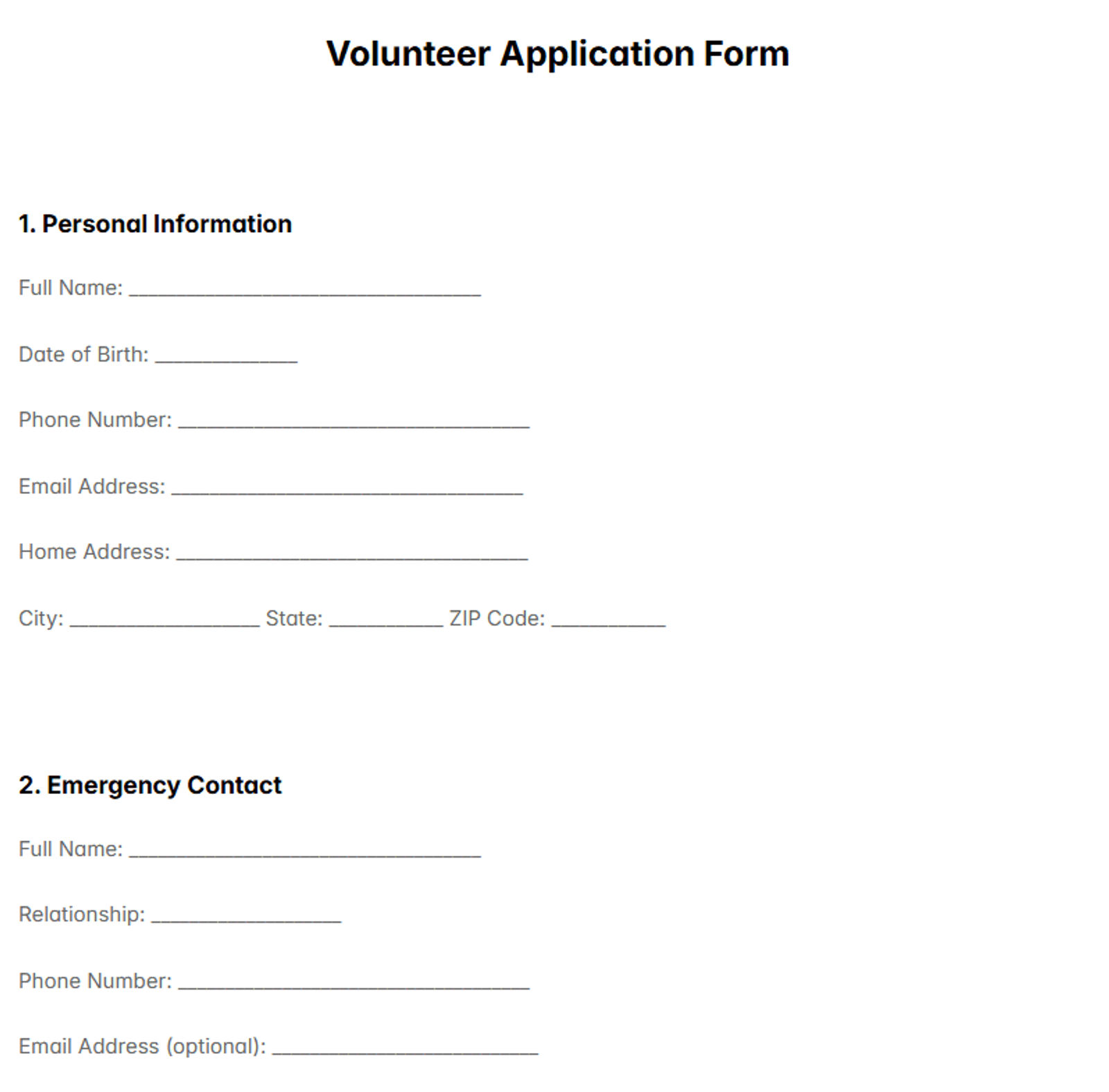


A credit application is a risk and terms tool, not just a questionnaire. When you use the right credit application template, you’re deciding whether to extend payment terms, what credit limit to offer, and what information you need to support that decision before invoices age into problems.
The right credit application format helps you confirm the legal entity, reduce fraud, and document permissions up front. In this guide, you’ll learn what to include, how businesses evaluate applications, and the common mistakes that slow approvals or weaken your ability to collect.
Disclaimer
This article provides general information, not legal advice, and it is written for a U.S. audience. Credit, collections, privacy, and consumer reporting rules can vary by state, industry, and how you use the information you collect, so the same clause or process may work differently across jurisdictions. Because credit decisions and enforcement can carry real financial and legal consequences, consider having qualified counsel review your credit application template, terms and conditions, and verification workflow before you rely on them, especially if you plan to run credit checks, use personal guarantees, charge late fees, or pursue collections across state lines.
TL;DR
-
A credit application form documents who is buying, what terms they want, and who can approve purchases. Include the legal entity name, entity type, EIN, billing details, and an authorized signer.
-
If you plan to run checks, get written permission to verify identity, contact trade references, and review credit data where allowed. Without clear consent, verification can stall or backfire.
-
If the account is new or the order value is high, require stronger proof before approval (trade references, a bank reference, and a starting credit limit tied to payment history).
-
If you are not “paid in advance,” write the rules that prevent disputes: payment terms, any late fees (if used), the dispute window, and where formal notices must be sent.
-
If the applicant is not the entity paying the invoice (parent, subsidiary, reseller), clarify who is financially responsible and when a personal guarantee is needed.
-
If you accept cards, keep card authorization separate and secure; **the core credit application should not store sensitive card data.
** -
A consistent intake and approval process speeds up good customers and reduces bad debt. Templates work best when every application goes through the same checks.
You Might Also Like:
What Is a Credit Application Form?
A credit application form is the standardized intake a business uses to decide whether to sell on terms and, if it does, what credit limit and payment terms to offer. It collects the facts you need to verify the customer and set manageable exposure. When you extend terms, the unpaid balance becomes accounts receivable, so the form is a basic control for credit risk.
Just as important, it creates a decision record. A good application documents what was requested, what was approved, and who accepted the terms, so you can stay consistent when limits change or when an account needs stricter terms like deposits or prepay.
In B2B selling, this usually supports trade credit: the buyer receives goods or services now and pays later on an invoice. That’s why the form should focus on confirming the legal entity and the people authorized to buy, not on collecting extra details that don’t change the decision.
At minimum, the form should help you answer:
-
Who is the legal entity, and can we confirm it quickly?
-
What terms and limit are being requested, and do they fit the customer?
-
Who is authorized to place orders and agree to the credit terms?
Finally, keep the intake focused: collect what you need to approve or decline today, and require extra documentation only when risk justifies it.
When Do You Need a Credit Application Form?
You don’t need a full credit application for every transaction, but you do need one whenever you’re about to carry meaningful “pay later” risk. The moment a customer asks for invoice terms, your business is financing that sale until it’s paid. A consistent trigger-based rule keeps sales moving while protecting Accounts Receivable from surprises.
The simplest approach is to require an application any time the request, the order size, or the customer’s profile changes enough that your current information is no longer reliable. If your team can’t confidently verify who will pay and under what terms, you should pause and collect the basics before shipping. This is also where fraud prevention matters: policies that escalate when you spot identity signals are aligned with the FTC’s Red Flags Rule guidance on identity theft prevention.
Use a credit application when at least one of these triggers is true:
-
They are a new customer requesting Net 30/60 or any invoice-based payment terms.
-
The first order is high-ticket relative to what you normally ship without terms.
-
They request a credit limit increase or want to expand purchasing volume fast.
-
Payment behavior shows risk (repeated late pays, frequent disputes, broken payment promises).
-
Company details changed (new legal name/EIN, different billing entity, new address, ownership change).
-
You see identity or fraud signals (mismatched addresses, unreachable contacts, inconsistent documentation).
-
Responsibility is unclear (parent/subsidiary, reseller, or “someone else will pay” arrangements).
If none of these triggers apply, you can often start with prepay, deposits, or card payment and revisit terms after the customer builds history. If one or more triggers apply, collecting the application up front is usually faster than trying to fix missing information after invoices are overdue, whether you use an online intake or a new customer credit application form PDF.
Credit Application Form vs Similar Documents
It’s tempting to treat a credit application as “the one form that collects everything.” That approach often slows approvals and creates avoidable risk, because each document is meant to support a different decision. A better model is a short packet where you request only what you need for the specific customer and order.
| Document | Primary purpose | Typical use case | Why it should stay separate |
|---|---|---|---|
| Credit application form | Decide whether to grant terms and a starting limit | New customers requesting invoice terms, limit increases | Keeps onboarding focused on eligibility, limit, and authority |
| Credit reference request | Validate payment behavior through third parties | Thin history, higher exposure, new industry relationship | Makes follow-up consistent and easier to compare across applicants |
| Identity verification form | Confirm the entity and signer are legitimate | Fraud signals, first large order, mismatched details | Prevents “we already did it” confusion when verification is still pending |
| Credit card authorization form | Authorize specific charges to a card | Deposits, recurring charges, fallback payments | Reduces who can see card data and how long it is retained |
| Credit agreement or terms addendum | Define late, dispute, and enforcement rules | When you need more clarity than an application provides | Avoids burying legal terms inside a form that few people read |
A practical rule is simple: keep the application focused on approval inputs and authority, then add attachments only when they change the decision. If a field does not affect eligibility, limit, or terms, it should not be mandatory. That’s why a credit reference request template and an identity verification form template are usually better as separate steps, even if they’re collected in one onboarding flow.
Card authorization deserves extra care. If you accept or store card information, you need controls that align with the PCI DSS standard, not an ad hoc PDF that gets emailed around. Even if you use a template credit card authorization form or a blank credit card authorization form, keep it separate from the credit application and restrict access. See the PCI Security Standards Council overview of PCI DSS.
When each document has one purpose, approvals stay faster, follow-ups are cleaner, and sensitive data is handled more safely.
Credit Application Format (What to Include in the Document)

A credit application document should be fast to complete and built for verification. It should capture only what changes the decision: whether to grant terms, what credit limit to set, and what conditions to apply.
-
**Business identity and payer responsibility
**
What to include: Legal business name, DBA (if any), entity type, EIN, state of formation, and the exact billing entity responsible for paying invoices. Add a business phone number and primary website domain if available. If the applicant is part of a group, include the parent name and state whether the parent is financially responsible or only informational.Why it matters: Clear identity prevents billing and collection confusion when names and entities overlap, and it reduces duplicate or misapplied account setups.
-
Addresses and invoice routing
What to include: Billing address, shipping address(es), and a notice address if different. Include the destination for invoices (AP email, portal, or mail) and any “invoice delivery” constraints (portal-only, specific email, no paper).
Why it matters: Correct routing reduces “we never received it” delays and prevents invoices aging for administrative reasons.
-
Contacts by role
What to include: Accounts Payable contact, Purchasing contact, and an escalation contact (owner/officer/finance lead), with name, title, phone, and email for each. If the customer requires portal invoicing, include the portal administrator or vendor onboarding contact.
Why it matters: It keeps follow-ups with people who can act, instead of sending reminders to a generic inbox or the wrong department.
-
Requested terms and exposure details
What to include: Requested terms (Net 15/30/45/60), requested credit limit, typical order size, expected monthly spend, and any seasonality or project spikes. State when Net terms start in your process (invoice date, ship date, or delivery date). If useful, add expected first order timing so the review aligns with urgency.
Why it matters: Limits should match expected purchasing, and a clear Net definition prevents disputes about when payment was actually due.
-
Invoicing requirements and dispute basics
What to include: Required invoice fields (PO number, job number, cost code, buyer reference) and any approval rules that affect payment (for example, “invoice must match PO”). Specify how disputes must be submitted (email/portal) and a dispute window.
Why it matters: This prevents preventable re-issues and slow pays caused by missing identifiers, and it discourages late “disputes” raised only after reminders start.
-
Trade references (plus a fallback)
What to include: Two to three trade references with vendor name, contact person, phone/email, and relationship length; allow a bank reference if trade references are hard to provide.
Why it matters: References add early payment-behavior signal when you do not yet have history with the customer, especially for first large orders or higher limits.
-
**Attachments checklist
**
What to include: A short “attach if applicable” checklist, such as W-9 (U.S. onboarding), resale certificate (if applicable), certificate of insurance, or other documents your industry requires.Why it matters: It reduces onboarding back-and-forth and avoids setup stalling after a credit decision because someone realizes a document is missing.
-
Authorization to verify and contact references
What to include: A plain-language authorization that you may verify submitted information and contact references for credit evaluation and account setup. Keep it visible and specific, not buried inside unrelated fine print.
Why it matters: Clear consent removes friction from verification and reduces “we didn’t authorize that” pushback.
-
Sensitive payment data separation
What to include: A statement that card or ACH authorizations are collected separately and should not be written into the credit application.
Why it matters: It limits internal exposure and reduces the chance sensitive payment data ends up in shared folders or forwarded emails.
-
Signature, authority, and internal approval fields
What to include: Authorized signer printed name, title, signature, and date, plus a short statement confirming they have authority to request terms for the company. If the document supports workflow, add internal-only fields: reviewed by, approval date, approved terms, approved credit limit, and conditions (deposit, prepay, staged limits).
Why it matters: A clear signature ties the request to the business, while internal fields keep approvals consistent and auditable when limits change later.
“The Safeguards Rule requires … an information security program with administrative, technical, and physical safeguards designed to protect customer information.”
— Federal Trade Commission, Safeguards Rule guidance.
That is why many teams add a brief data-handling note near the signature area (access, storage, retention) and keep payment authorizations in a separate, more controlled process. If your document includes these sections, it should lead to a clear outcome: approve, decline, or approve with conditions that are easy to explain and repeat. It should also avoid accidental promises, so the application supports the decision without implying unlimited credit or permanent terms.
Credit & Verification Playbook
A credit and verification playbook is a documented, repeatable workflow for reviewing a credit request, verifying key details, and issuing a consistent approval decision.
“Adhering to a corporate credit policy is essential to managing and assessing credit risk, setting payment terms and ensuring a healthy cash flow.” — NACM, Building a Credit Policy from Scratch.
In simple terms, a playbook is how you turn a policy into daily actions. It tells your team what to check first, what “good enough” evidence looks like, and what to do when something does not reconcile, so approvals don’t depend on who is working the request or how much sales pressure is in the moment.
| Step | What you verify | Output | If it fails |
|---|---|---|---|
| Intake and completeness | Payer is clear, AP contact exists, signer has authority signals, key fields are filled | Ready for review | Request missing items before approval |
| Entity and consistency check | Entity details reconcile, addresses make sense, contacts look real, request fits expected spend | Applicant looks legitimate | Escalate verification and tighten exposure |
| Payment behavior signal | References confirm pays within terms and respects limits, or you have a trusted substitute signal | Risk supports requested terms | Approve with conditions: smaller limit, shorter terms, deposit, or prepay |
| Decision and documentation | Approved terms/limit, conditions, evidence, review cadence | Repeatable decision record | Default to tighter terms until history improves |
| Customer confirmation | Invoice destination, dispute path, due-date definition, limit behavior | Fewer preventable disputes | Confirm in writing before first shipment on terms |
Credit Policy and Approval Matrix
A credit policy is only useful when it is enforceable in day-to-day approvals. An approval matrix assigns who can approve which terms. It sets the minimum documentation required for each risk tier. It prevents one-off Net 30 approvals from turning into inconsistent limits and messy collections later.
A good matrix defines three risk tiers and names the owner for each decision. Sales Ops might approve low-risk, low-limit requests that match standard terms, Finance or a Credit Manager might approve most Net 30 requests, and a Controller or CFO might approve high exposure and exceptions. A clear escalation path keeps approvals fast for safe accounts and strict for risky ones. For a practical take on delegation of authority in credit approvals, see “The Art of Credit Approvals” from National Association of Credit Management.
Stop signs should block approval until the basics reconcile. Common examples include an unclear payer, an entity mismatch, or contacts that cannot be verified. When a stop sign appears, you should tighten exposure rather than ship and hope.
Below is a simple approval matrix you can adapt.
| Scenario | Risk tier | Minimum documentation | Approver | Default decision posture |
|---|---|---|---|---|
| New customer, small first order, short terms | Low | Core application + clear payer + AP contact | Sales Ops or AR lead | Approve with a small limit and conservative terms |
| New customer requesting Net 30 | Medium | Core application + 2 trade references | Credit Manager or Finance | Approve if signals reconcile; otherwise tighten terms |
| New customer, high-ticket or fast ramp | High | Core application + stronger references + added verification | Controller/CFO | Approve with conditions (deposit or prepay, staged limits) |
| Multi-entity customer (subsidiary vs parent payer) | Medium–High | Core application + written payer responsibility | Finance + Controller (if needed) | Approve only when payer is unambiguous |
| Credit limit increase request | Medium | Payment history review + updated details if changed | Credit Manager | Increase gradually with a review cadence |
| Terms exception request (override policy) | High | Written rationale + compensating controls | Controller/CFO | Approve only if risk is offset and documented |
| Red-flag application (mismatch, unreachable contacts) | High | Reconciliation proof or additional verification | Credit Manager (final) | Decline or require prepay until resolved |
If the matrix is short and visible, teams follow it under pressure. If exceptions must be written down, exceptions happen less often and are easier to defend.
How Businesses Evaluate Applications (Practical Risk Signals)

Most businesses don’t evaluate trade credit like a bank evaluates a consumer loan. They look for a small set of risk signals that answer three questions: Is the buyer real? Is payer responsibility clear? Does the requested exposure match what you can safely finance?
“Trade Payments indicate how quickly a company is likely to pay its bills in the future by reviewing its payment performance with other vendors.” — Dun & Bradstreet, D&B Credit docs: Trade Payments.
In plain terms, that’s why payment behavior evidence (like trade references or commercial payment history) carries so much weight when you’re deciding on Net 30 for a new account. If you can’t validate payment behavior, the safest move is to start tighter and expand only after on-time cycles.
First, teams check identity and consistency. If the legal entity, EIN, or billing responsibility doesn’t reconcile, approval should pause. A mismatch is not a negotiation point, it’s a verification problem. The same goes for conflicting addresses, suspicious contact details, or a request that doesn’t fit the customer’s stated buying pattern.
Second, they check reachability and process clarity. If Accounts Payable is unreachable or invoice routing rules are unclear, payment will be slow even for good customers. Missing PO requirements, job codes, or portal workflows often create “admin” late pays that look like credit risk but are really preventable process failures.
Third, they translate uncertainty into controlled exposure. When signals don’t reconcile, conditions are the compromise tool: staged limits, shorter terms, deposits, or prepay keep the sale moving without letting the first invoices become the first collection problem.
Scenario Templates
Use these scenarios to pick the right template set. Specialized packets usually work better than one “catch-all” document, because they focus on the facts that matter most for a specific situation. That said, a general application can still be a good starting point when you are not sure which scenario fits yet, as long as you add the right verification step before approving meaningful terms.
Standard trade account (B2B Net 30 or Net 60)
When it fits: A business customer requests invoice terms for repeat purchases, often with a predictable ordering pattern (weekly replenishment, recurring service, ongoing projects). This is the classic “vendor account” setup used by wholesalers, distributors, and many B2B service providers.
Risks: Unclear payer responsibility (the buyer name, ship-to, and billing entity don’t match) can delay payment or create disputes. Unverified payment behavior also matters: if references are missing or inconsistent, you’re guessing on how they pay.
Starter terms (new customer, low initial limit)
When it fits: You want to move fast on a first order, but you want exposure capped until the customer proves on-time payments. This scenario works well when sales urgency is high but the customer is new or untested.
Risks: Missing AP routing rules (portal-only invoicing, mandatory PO numbers, job codes) and weak contactability cause “admin” late pays where the invoice is valid but stuck inside the customer’s process. That can look like credit risk even when it’s just setup friction.
Customer account credit (customer-first onboarding)
When it fits: You need a customer-focused intake to set up billing and responsibility, rather than a classic vendor trade account structure. This is common when the “customer” relationship is broader than trade purchasing (for example, service bundles, mixed billing, or account-based pricing).
Risks: Signer authority gaps can make accepted terms hard to enforce. Customer vs payer mismatch is another common issue, especially when a management company, a partner, or a different entity is paying.
High-exposure or suspicious request
When it fits: The first order is large, the customer wants a high limit quickly, or parts of the application don’t reconcile cleanly. This is also the right bucket when you see “rush” pressure combined with inconsistencies.
Risks: Fraud signals and overexposure before proof are the main threats. If key details don’t match, shipping on terms can turn into your first collection event with a brand-new account.
Home loan workflow (not trade credit)
When it fits: You’re collecting documents for a mortgage-style process, not granting invoice terms for a vendor account. The workflow is checklist-driven and proof-heavy, and it does not map cleanly to trade terms.
Risks: Using trade-credit documents in a lending checklist workflow creates missing proof later and causes delays when the lender asks for items you never collected.
How to choose the right packet in 30 seconds
-
If the customer is asking for Net 30/60, start with Business Credit Application (B2B).
-
If you have no history or the requested limit is meaningful, add Credit Reference Request.
-
If the first order is large or details don’t reconcile, add Identity Verification and approve with conditions (staged limits, deposits, or prepay) until you see on-time cycles.
-
If this is customer-first onboarding rather than trade terms, use Customer Credit Application.
-
If it’s mortgage-style document collection, use the Home Loan Application Checklist.
AI vs. Lawyer
There isn’t one “right” way to create or customize a credit application template. The best option depends on your downside risk, how regulated your workflow is, and how expensive a mistake would be (bad debt, chargebacks, privacy exposure, or inconsistent approvals). Because pricing varies widely by state and market, treat any cost ranges as directional. If you want a benchmark for U.S. legal pricing, see Clio’s average lawyer hourly rates by state.
| Option | Best for | Typical cost range (U.S.) | Main advantages | Main risks |
|---|---|---|---|---|
| DIY / AI (template + self-serve) | Low-risk trade terms: small starter limits, straightforward payer, standard Net 30 | Low (template/tool cost) | Creates a structured first draft fast and forces you to define fields, signatures, and routing | Can miss state-sensitive gaps (privacy, e-sign, card handling) and leave “payer responsibility” vague |
| Lawyer review (you draft, lawyer edits) | Mid-stakes setup: higher limits, multi-entity buyers, tighter credit policy controls | Moderate (often 1–3 lawyer hours) | Tightens risk without full custom drafting and catches contradictions in terms and consent language | A review can’t fix missing facts if your internal process and attachments are incomplete |
| Lawyer draft + strategy | High-stakes exposure: large limits, recurring high ticket, sensitive data handling, complex approval rules | Higher (often 3–10+ lawyer hours) | Builds a cohesive packet and policy that aligns forms, approvals, and exception handling | Costs more and takes coordination but still depends on accurate disclosures and clear goals |
Practical rule: Use a template or AI when the exposure is small and facts are straightforward; pay for lawyer review when limits, entity structure, or data handling increases the downside; invest in full drafting when the forms must carry serious consequences if something goes wrong.
Template Library
Templates work best when they match the scenario you’re onboarding. Use the library below to pick the closest category and complete the key fields before you approve terms.
| Category | Primary decision | What it helps prevent | Templates |
|---|---|---|---|
| Standard trade account (B2B Net 30/60) | Decide whether to grant invoice terms, set a starting credit limit, and confirm who the paying entity is before the first shipment on terms. | Approving terms for the wrong legal entity, setting a limit that doesn’t match expected volume, and discovering missing invoice requirements only after invoices start aging. | - Business Credit Application (B2B) - Trade Credit Terms & Conditions Addendum - New Account Setup Checklist |
| Starter terms (new customer, low initial limit) | Approve quickly with a capped limit and clear “what happens next” rules (when to review, how to increase, when to pause orders). | Slow-pay situations caused by incomplete onboarding, unclear invoice routing, and limits that silently creep up without a review trigger. | - Credit Application Form - Starter Credit Approval Notice - Limit Review Reminder Note |
| Customer account credit (customer-first onboarding) | Confirm billing responsibility and acceptance of terms when the “customer” relationship is broader than a typical vendor trade account. | Confusion over who is financially responsible, disputes about who accepted terms, and follow-ups going to the wrong contact or inbox. | - Customer Credit Application - Billing Responsibility Confirmation Letter - Invoice Delivery & Routing Sheet |
| High-exposure or suspicious request | Decide whether to approve with conditions (staged limits, deposits, shorter terms) or require prepay until key facts and authority are verified. | High-loss first invoices caused by identity issues, authority gaps, or aggressive exposure granted before verification is complete. | - Identity Verification Form - Conditional Credit Approval Letter - Deposit / Prepay Agreement |
| Home loan workflow (not trade credit) | Track whether the borrower’s documentation meets underwriting requirements, and what is still missing by stage. | Late-stage surprises where required proof wasn’t collected early, plus back-and-forth that resets the timeline. | - Home Loan Application Checklist - Document Receipt Log - Borrower Follow-Up Email Template |
| Payment behavior check (add-on) | Validate pay history and reliability signals when you don’t have enough internal history to size terms and limits confidently. | Guessing on payment behavior, inconsistent reference questions across applicants, and weak documentation when a limit decision is challenged later. | - Credit Reference Request - Reference Call Script - Reference Response Tracker |
Common Mistakes to Avoid

Most credit-application failures come from missing the few details that actually drive the decision. The highest-risk gaps usually sit where people skim: who the payer is, who can sign, whether verification is permitted, how invoices are routed, and what “Net 30” means in practice. Below are common mistakes and simple fixes you can apply before granting terms.
1) Approving terms before the payer is clearly defined
Teams accept a trade name, a ship-to location, or “the parent will pay,” then learn later the invoice was issued to the wrong entity or the signer could not bind the payer. **If the payer is unclear, disputes become slow and hard to resolve.
**
Fix: Treat “who pays” as a stop-sign field: legal entity name, EIN (or local equivalent), and the billing entity responsible for invoices. If the story doesn’t reconcile, tightening exposure protects you while you verify (starter limit, deposit, or prepay). When you see identity-theft signals, align escalation with the FTC’s Red Flags Rule guidance.
2) Making the form long, but still missing the fields that prevent late pays
A common trap is collecting “nice-to-have” information (business history, marketing details) while skipping what actually prevents invoices from aging: AP contact, invoice destination, required PO or job identifiers, portal requirements, and escalation contacts. **A long form can still fail if it omits operational payment blockers.
**
Fix: Keep the core intake operational: AP + Purchasing + escalation contact, invoice routing rules, and required invoice identifiers. If a field doesn’t change approval, limit, or terms, it should be optional.
3) Burying or skipping written permission to verify and contact references
If you plan to validate identity, contact trade references, or run credit-related checks, vague or hidden language can stall verification or trigger pushback (“we didn’t authorize this”). **When permission is unclear, verification becomes inconsistent and approvals drift.
**
Fix: Put a plain-language authorization near the signature area. Clear permission speeds verification and reduces friction during onboarding (checkboxes help if you use multiple verification steps).
4) Treating “requested” terms as if they were approved terms
**Someone approves an account quickly, then later nobody can prove what was granted or under what conditions. That’s how limits quietly increase and exceptions become the default.
**
Fix: Add internal-only approval fields: approved terms, approved credit limit, conditions (deposit, prepay, staged limits), approver name, approval date, and review cadence. If approvals are recorded consistently, credit decisions stay defensible and repeatable.
5) Leaving Net terms and disputes undefined
“Net 30” can mean invoice date, ship date, delivery date, or acceptance date, and customers will naturally choose the interpretation that favors them. **A vague dispute process also invites late “disputes” after reminders begin. If timing and disputes aren’t measurable, collections turns into arguments.
**
Fix: Define when Net terms start, how disputes must be submitted, and a dispute window. Also specify the notice address for formal communications. Clear definitions prevent avoidable aging and reduce resolution time.
6) Mixing sensitive payment data into the credit application
Putting card details into a credit application, or collecting bank info casually by email and PDF, creates unnecessary exposure and broad access. **Loose handling can turn a normal customer into a security incident.
**
Fix: Keep card or ACH authorization separate, limit access, and use a controlled workflow aligned with PCI DSS resources from the PCI Security Standards Council. Separating payment data reduces risk without slowing credit decisions.
7) Having no repeatable playbook, so approvals depend on who is working the request
Without a shared workflow, the same customer can receive different decisions on different days, and sales urgency becomes the real policy. **Inconsistent approvals create inconsistent records, and that makes collections harder later.
**
Fix: Write a simple playbook: intake completeness, entity consistency check, payment behavior signal, decision (approve, decline, approve-with-conditions), and customer confirmation. A basic playbook keeps credit consistent even under pressure.
If you address these seven items before granting terms, you’ll approve faster for good customers while reducing the bad debt that starts as “just one invoice on Net 30.”
After Signing
After a credit application is signed, the focus shifts from approval to execution. The goal is clean setup: the account matches what was approved, invoices go to the right place, and the first payment cycle runs without preventable friction.
Start by recording the decision in one place so there is no ambiguity later: approved terms, starting credit limit, any conditions (deposit, prepay, staged limits), and the first review date. Then confirm invoice routing before the first invoice goes out. This is where many “good” customers accidentally become late payers: the invoice goes to the wrong inbox, the PO number is missing, or the portal requires fields your team didn’t know about.
Next, store the signed packet in one controlled location and follow a simple retention approach so it’s easy to find when a dispute, limit increase, or collections question comes up. The IRS has a useful baseline on business recordkeeping.
Checklist for the first 7–10 days:
-
Confirm approved terms, starting limit, and conditions are correct in your system and visible to Sales and AR.
-
Confirm invoice destination and method (AP email, portal, mail) and who owns AP follow-up internally.
-
Confirm required invoice identifiers (PO number, job code, cost code) and test one “perfect” invoice example.
-
Define limit behavior in writing (hold orders, partial ship, or require prepay once exposure hits the cap).
-
Set the first review date and the evidence you’ll require to increase limits (for example, two to three on-time cycles).
-
Track disputes from day one and categorize them (missing PO, pricing mismatch, delivery issue) so repeats get fixed quickly.
-
Document any changes immediately (new AP contact, new portal rule, billing entity change) so the file stays accurate.
Legal Requirements and Regulatory Context
A credit application is not just admin. It’s a risk-control document that sits on top of real legal rules around identity verification, credit decisioning, e-signatures, and data handling. You don’t need a legal treatise, but the form should match baseline obligations that can create real downside if ignored.
If you extend ongoing terms and maintain “covered accounts,” your process may need an identity-theft prevention step. Federal Trade Commission outlines practical expectations in its Red Flags Rule guidance. Operationally, the point is simple: when details don’t reconcile, you follow a documented escalation path (tighter terms, deposits, staged limits, or added verification), not a one-off exception.
If your workflow touches consumer reporting data (for example, an owner guarantee where you pull an individual’s credit), the Fair Credit Reporting Act can apply. Start with the FTC’s FCRA overview and the “permissible purposes” rule at 15 U.S.C. § 1681b. Consumer Financial Protection Bureau also maintains a practical hub of FCRA compliance resources. The takeaway: only run checks you’re allowed to run, and keep a clear record of why you ran them.
On data security, rules can apply based on what “customer information” you collect and how you store it. “The Safeguards Rule requires … an information security program … designed to protect customer information.” — Federal Trade Commission, Safeguards Rule guidance. Practically, this supports a few simple controls: store signed packets in one controlled location, limit access, and avoid collecting sensitive data that doesn’t change the decision.
On signing and recordkeeping, electronic signatures are generally valid, but you still need a record you can reproduce later. “A signature … may not be denied legal effect … solely because it is in electronic form.” — 15 U.S.C. § 7001. Keep the exact version signed, the audit trail, and any referenced attachments, so you can prove what was agreed to if a dispute appears months later.
Finally, separate credit approval from payment authorization. If you handle card data, align basics with PCI Security Standards Council resources on PCI DSS. The point isn’t to turn your credit app into a security manual. It’s to keep payment credentials out of the same file that gets forwarded around, and to make sensitive permissions a controlled, access-limited workflow.
FAQ
Why do you need a credit application template?
A credit application template gives you a repeatable way to collect the minimum facts needed to grant terms. It reduces improvisation, keeps approvals consistent across sales cycles, and creates a clean record of what the customer requested and what you approved.
What fields are essential in a credit application form template?
The essentials are the fields that change the decision: legal payer identity, billing responsibility, invoice routing, requested terms, requested limit, and signer authority. If a field doesn’t affect eligibility, limit, or terms, it should be optional or triggered by risk.
How do you choose the right credit application format?
Choose the format that fits your workflow and how you verify information. If you need strict consistency, a fillable PDF or online form works well. If you have frequent edge cases, a controlled Word template can be easier, as long as you avoid version sprawl.
What are the most common mistakes in a business credit application template?
The common mistakes are approving before the payer is unambiguous, collecting lots of data while missing invoice routing fields, burying verification consent, treating requested terms as approved terms, leaving Net timing undefined, and mixing payment credentials into the same document. If you want a baseline for identity-theft “red flags” that can show up during onboarding, see the Federal Trade Commission overview of the Red Flags Rule.
When should you use a trade credit application form template for Net 30/60 terms?
Use it when a business customer is requesting invoice terms and a credit line for ongoing purchases. It’s especially important when you have limited payment history with the customer or when the requested limit is meaningful relative to order size.
What should you review in a sample business credit application before using it?
Review whether it clearly captures who pays, who signs, and where invoices go. Check that terms are defined in a measurable way, the authorization language matches what you actually do, and sensitive payment details are not embedded in the core application. If your process includes electronic signatures, the federal baseline is the E-SIGN Act validity rule (15 U.S.C. § 7001).
After approving a credit limit, what should be documented in a credit application approval letter template?
Document the approved terms, approved credit limit, any conditions (deposit, prepay, staged limits), the effective date, invoice routing instructions, what happens at the limit, and when the account will be reviewed for an increase.
How should you present a credit check authorization form without slowing onboarding?
Present it as a conditional step, not a default requirement. Only request it when your policy triggers it, explain why it’s needed, and keep it short, clear, and separate from the core credit application.
What are the risks of a blank credit authorization form, and what should be handled in a separate document?
A blank authorization form can create misuse risk because it’s easy to over-apply permissions. Payment authorization (card or ACH) should be handled in a separate document with restricted access and clear rules for when charges are allowed.
When can a commercial credit application form template free be risky, and when is it acceptable as a starting point?
It’s risky when you treat it as ready-to-use without verifying that it matches your workflow, definitions, and compliance needs. It can be acceptable as a starting point when exposure is low and you treat it as a draft to customize, then tighten with your own approval rules and verification steps.
Get Started Today
A well-built credit application packet protects your cash flow, your sales velocity, and your ability to enforce terms. When the payer details are written down, invoice routing is operational, and the approved limit and terms are documented, onboarding stops being a “handshake deal” and becomes a system you can actually run: clear Net terms, clear dispute timing, and fewer avoidable late pays.
Use the Scenario Templates section above to choose the closest starting point (standard trade account, starter terms, customer-first onboarding, high-exposure verification, or home loan workflow). Then pair it with a simple tracking routine so the decision stays real after approval: confirm the AP destination, log required invoice fields (PO or job codes), set the first review date, and document any changes in writing instead of “we agreed by email.”
Start with a Credit Application Form Template from the library, or generate a first draft with AI and then customize it to your workflow (payer identity, terms definition, credit limit rules, invoice routing, dispute window, and escalation contacts). If the stakes are high — large first orders, meaningful exposure, thin payment history, identity red flags, or sensitive data handling — a qualified review step before you grant terms can prevent expensive mistakes later.
You Might Also Like:
Sources and References
-
National Association of Credit Management: Building a Credit Policy from Scratch
-
National Association of Credit Management: The Art of Credit Approvals
-
Dun & Bradstreet: Trade Payments (D&B credit docs)
-
Federal Trade Commission: Red Flags Rule
-
Federal Trade Commission: Fair Credit Reporting Act (FCRA) statute page
-
Consumer Financial Protection Bureau: FCRA compliance resources
-
Cornell Law School: 15 U.S.C. § 1681b (permissible purposes)
-
Federal Trade Commission: Safeguards Rule: What your business needs to know
-
Cornell Law School: 15 U.S.C. § 7001 (E-SIGN Act validity)
-
PCI Security Standards Council: PCI DSS standard
-
Internal Revenue Service: Business recordkeeping guidance
-
Federal Trade Commission: Data Breach Response: A Guide for Business
-
National Institute of Standards and Technology: NIST Cybersecurity Framework